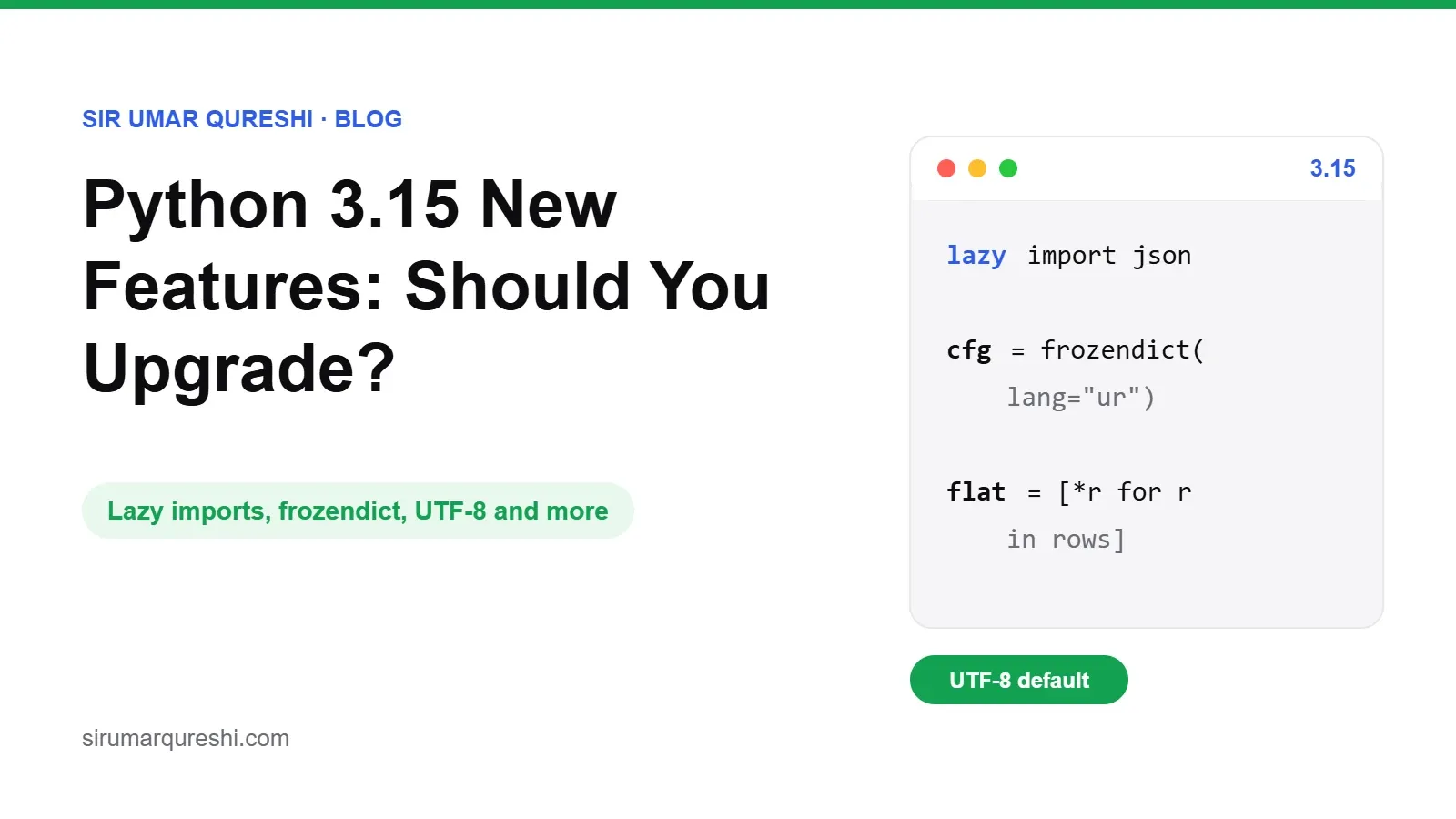
Python 3.15 new features include lazy imports, a built-in frozendict, a fast sampling profiler called Tachyon, unpacking inside comprehensions and UTF-8 as the default text encoding on every system. The release came out on 9 October 2026, and most learners can start using it today. If you run data projects with many compiled libraries, test first and upgrade over the next few months.
I teach Python to beginners and also maintain real production code, so I read every release from two sides. As a teacher, I ask what will confuse a student. As a developer, I ask what could break on a server at 2 a.m. This guide covers both. You will see each major change with a short example, a table that tells you whether to upgrade now or wait, and a safe way to install 3.15 next to the version you already have.
If you are still new to the language, start with my day-by-day Python learning plan. Everything below will make more sense once you have written a few small programs.
What Are the Python 3.15 New Features, in One Minute?
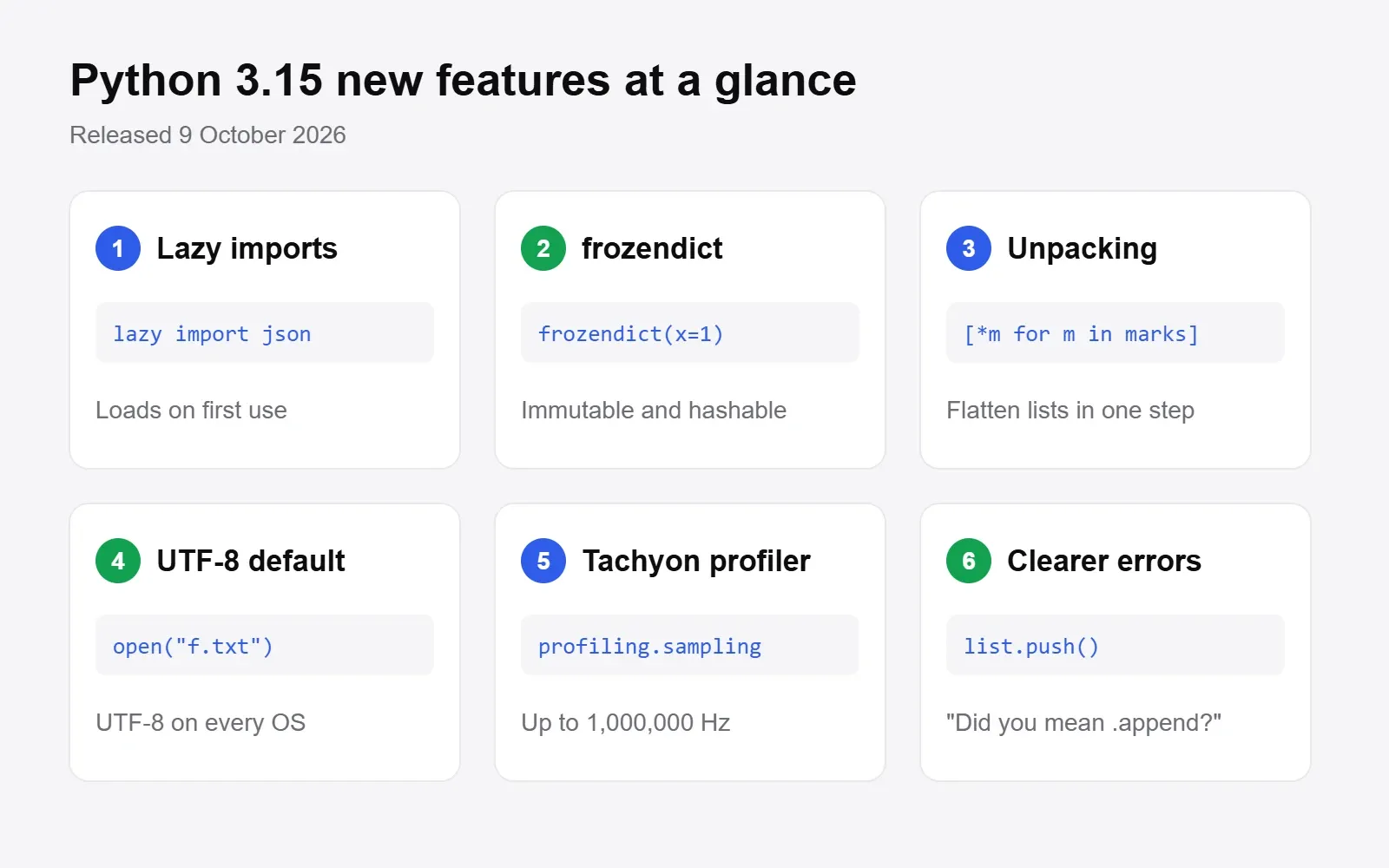
The official What's New in Python 3.15 page is long, so here is the short version. These are the Python 3.15 new features most people will notice:
- Lazy imports (PEP 810). Write
lazy import jsonand the module loads only when your code first uses it. frozendict(PEP 814). A built-in dictionary that cannot be changed after you create it.sentinel(PEP 661). A built-in way to make unique marker values, such as "no value given".- Unpacking in comprehensions (PEP 798).
[*row for row in rows]now flattens a list of lists. - UTF-8 by default (PEP 686). Opening a text file without an
encodingargument now uses UTF-8 on Windows too. - A new
profilingpackage (PEP 799). It holds the oldcProfileand a new sampling profiler called Tachyon. - Clearer error messages. Python now suggests the method you probably meant.
- An upgraded JIT compiler, still experimental, plus a return to the older garbage collector.
The rest of this article explains each one in plain language, with code you can paste into the new interpreter.
Python 3.15 Release Date and Support Timeline
Before you look at code, check the calendar. The Python 3.15 release date decides how long you will get fixes, and it tells you which older versions are now unsafe.
According to PEP 790, the 3.15 release schedule, Python 3.15.0 final shipped on Friday, 9 October 2026, with Hugo van Kemenade as release manager. The same PEP says 3.15 gets regular bugfix releases for about two years, then source-only security fixes until roughly five years after launch.
Updates have already started. The Python Insider blog lists 3.15.1 on 21 October and 3.15.2 on 26 October 2026. The second was an expedited security release that removed trust in compromised certificate authority keys. So if you install 3.15, install the latest point release, not 3.15.0.
Here is how 3.15 sits next to the versions you may still have on your laptop or server. The dates come from the official Python release-cycle data.
| Version | First released | Status in November 2026 | End of life |
|---|---|---|---|
| 3.10 | October 2021 | End of life | 1 October 2026 |
| 3.11 | October 2022 | Security fixes only | October 2027 |
| 3.12 | October 2023 | Security fixes only | October 2028 |
| 3.13 | October 2024 | Security fixes only | October 2029 |
| 3.14 | October 2025 | Bugfix | October 2030 |
| 3.15 | 9 October 2026 | Bugfix | October 2031 |
One row matters more than the others. Python 3.10 reached end of life on 1 October 2026. If a client project, a college lab or an old VPS still runs 3.10, it gets no more security fixes. That alone is a good reason to plan a move, even if you do not jump straight to 3.15.
Python 3.15 Lazy Imports: Faster Start-Up With One Word
Every import at the top of a file normally runs straight away. In a data script that imports pandas, SciPy and Matplotlib, you wait for all of them even when you only run --help. Python 3.15 lazy imports fix this with a new soft keyword.
lazy import json
lazy from pathlib import Path

print("Starting up...")      # json and pathlib are not loaded yet

data = json.loads('{"a": 1}')  # json loads here, on first use
folder = Path(".")             # pathlib loads here
The official docs list a few rules you should know before you use it:
lazyworks only at module level. Inside a function, a class body or atryblock it raisesSyntaxError.lazy from module import *is not allowed.- You can switch it on for a whole program with
-X lazy_imports=allor thePYTHON_LAZY_IMPORTSenvironment variable. Normal eager loading stays the default. - Libraries that must still run on older Pythons can list modules in
__lazy_modules__instead of using the new keyword.
When should you use it?
Command-line tools and notebooks gain the most, because they often import heavy packages they may never touch. The Anaconda team's notes for data scientists give a useful warning: keep imports that do something on load, such as registering a plotting backend, as normal imports. Jumping Rivers adds a second point. With lazy loading, a missing package shows its error when the code first uses it, not when the script starts. Your tests need to reach those lines.
In class, I would not teach lazy in the first month. Students should first understand what an import does. Once they build a small tool with several heavy libraries, it becomes a nice lesson in measuring start-up time.
frozendict and sentinel: Two New Built-ins
frozendict in Python 3.15
Python has had frozenset for years. Now dictionaries get the same idea. A frozendict cannot be changed after creation, and it can be hashed when all its keys and values can be hashed. That means you can use it as a dictionary key or store it in a set.
settings = frozendict(theme="dark", lang="ur")
settings["lang"] = "en"
# TypeError: 'frozendict' object does not support item assignment

a = frozendict(x=1, y=2)
b = frozendict(y=2, x=1)
print(a == b, hash(a) == hash(b))   # True True
Two details from the docs are worth remembering. First, frozendict is not a subclass of dict, so isinstance(settings, dict) returns False. Second, it keeps insertion order but ignores order when comparing. Standard library modules such as json, pickle, copy and pprint already support it.
Where does this help in real work? Fixed configuration, lookup tables you never want edited by accident and cache keys. In a web app, I would use one for a table of order status labels that every request reads but nobody should change.
sentinel for "no value given"
Many of us have written MISSING = object() to tell "the caller passed nothing" apart from "the caller passed None". The new sentinel built-in makes that pattern official. The docs say sentinel objects keep their identity when copied, have a short readable representation, can be pickled when importable and work in type hints with the | operator. This is mostly useful for library authors, so beginners can skip it for now.
Unpacking in Comprehensions: Flatten Lists Without a Double Loop
This one is small, but students will love it. Flattening a list of lists used to need a nested comprehension that many beginners read backwards. In 3.15 you can use * and ** directly inside list, set, dict and generator comprehensions.
marks = [[78, 85], [90], [66, 72, 88]]
all_marks = [*m for m in marks]
# [78, 85, 90, 66, 72, 88]

configs = [{"debug": False}, {"port": 8000}, {"debug": True}]
merged = {**c for c in configs}
# {'debug': True, 'port': 8000}
Later keys win when you merge dictionaries, just as they do with {**a, **b}. Keep in mind that code using this syntax will not run on 3.14 or older. If you share notebooks with classmates or teammates who have not upgraded, stick with the old form for now.
Python 3.15 UTF-8 Default: The Change Most Likely to Break Old Scripts
This is the change I would check first. Before 3.15, open("file.txt") used your system's locale encoding. On many Windows computers, that was not UTF-8. Now, under PEP 686, text input and output use UTF-8 whatever the locale says.
For most new code, this is good news. Urdu text, emoji in customer names and accented letters in exported CSV files will behave the same on Windows, Linux and macOS. The risk is old files. A CSV saved years ago in a legacy Windows encoding may now raise a UnicodeDecodeError, or worse, load with strange characters.
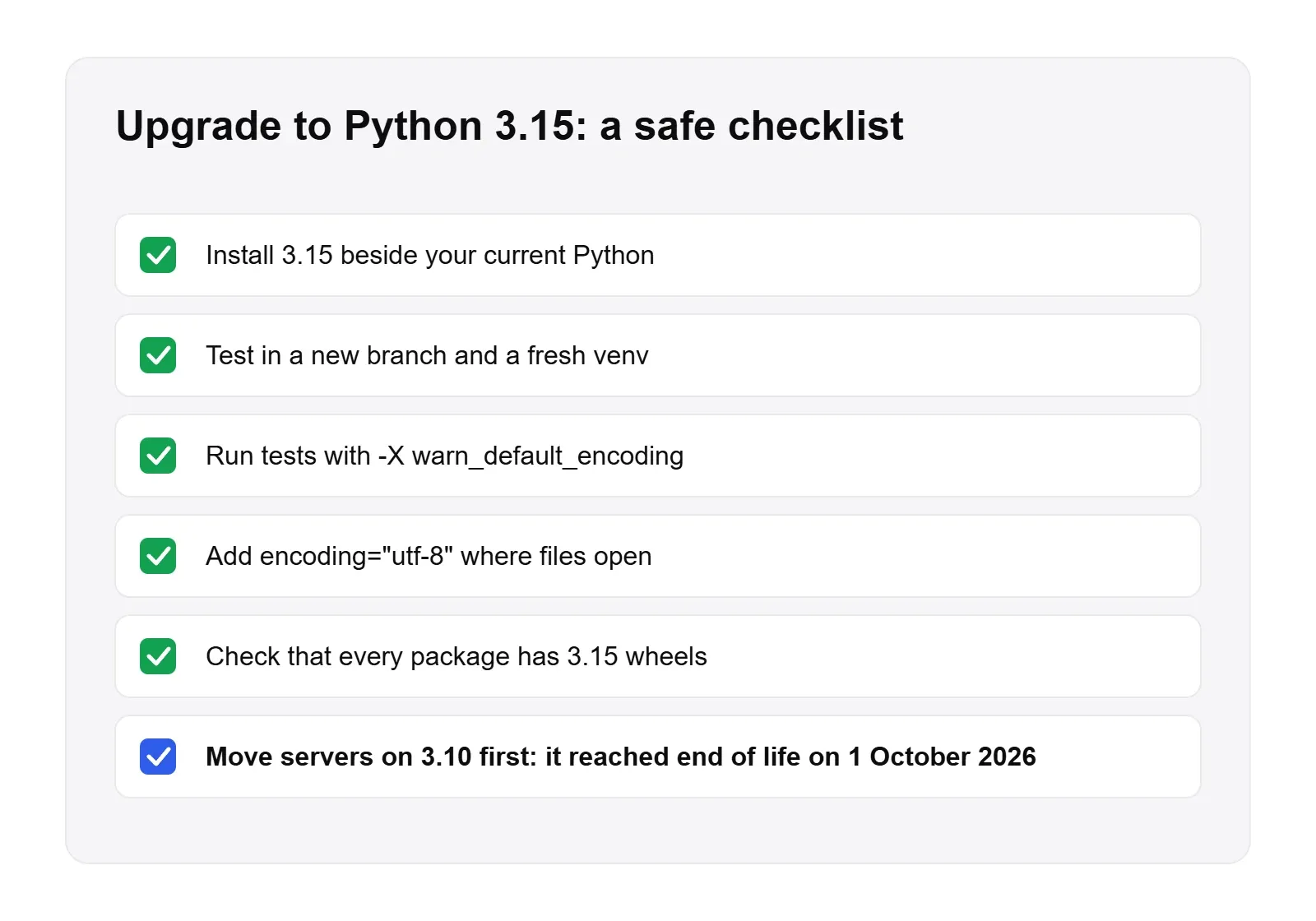
Check before you upgrade: run your test suite on your current Python with -X warn_default_encoding. It warns at every place that opens a file without an encoding argument. Add encoding="utf-8", or the file's real encoding, to each one. If you are stuck, PYTHONUTF8=0 or -X utf8=0 brings back the old behaviour.
Anaconda's notes point out that pandas read_csv already defaulted to UTF-8, so many pandas workflows will not change. Plain open(), the csv module and numpy.loadtxt are the places to look.
Tachyon Profiler: Find Slow Code Without Touching It
Profiling means measuring where your program spends its time. Python 3.15 groups its tools in a new profiling package. The old deterministic profiler lives at profiling.tracing (cProfile still works as an alias). The new one, profiling.sampling, is nicknamed Tachyon.
A sampling profiler does not record every function call. It takes quick snapshots of what the program is doing, many times a second. The official docs say Tachyon can sample at up to 1,000,000 Hz and can attach to a program that is already running, using its process ID, with no code changes. It can write flame graphs, heat maps and other formats, and it has modes for wall time, CPU time, GIL waiting and exceptions.
# profile a script from the start and write a flame graph
python -m profiling.sampling run --flamegraph my_report.py

# attach to a process that is already running
python -m profiling.sampling attach 12345
In the Jumping Rivers walkthrough, attaching needed sudo, and the process ID shown by a launcher such as uv run was not always the ID of the Python process itself. Expect a little trial and error the first time.
One more date to note: the pure-Python profile module is deprecated and is scheduled for removal in Python 3.17. If your scripts import it, switch to profiling.tracing now.
Friendlier Error Messages for Students
Each recent release has improved error messages, and 3.15 continues that trend. This matters a lot in a classroom. A clear message saves a student ten minutes of guessing, and it saves me from answering the same question twenty times.
Examples from the official docs include:
- Calling
.push()on a list now suggests.append, a common slip for students who know JavaScript. - Calling
.put()on a dictionary tells you to used[k] = v. - Calling
.append()on a tuple asks whether you meant to use a list. - If an attribute lives one level deeper, Python suggests the full path, such as
.inner.area.
The interactive shell also gets coloured tab completion, and more command-line tools, including argparse help and the sqlite3 shell, now print in colour. If colour gets in your way, environment variables turn it off.
Smaller Python 3.15 Changes Worth Knowing
Not all Python 3.15 new features are headline items. These will not change your day, but they are good to know before an interview or a code review.
The JIT compiler and speed
The JIT compiler is still experimental, and the official docs describe it as "significantly upgraded". InfoWorld's review reports an 8% to 13% geometric mean speed improvement over standard CPython, depending on platform and workload. Treat that as a range for benchmarks, not a promise for your app. Measure your own code before you claim a speed-up.
The garbage collector goes back
Python 3.14 introduced an incremental garbage collector. The 3.15 docs say it was reverted to the generational collector from 3.13 after reports of memory pressure. If you saw higher memory use on 3.14, retest on 3.15.
Standard library and typing extras
re.prefixmatch()is added, andre.match()is soft-deprecated. Your old code still works.- A new
math.integermodule groups maths functions that take whole numbers. - The
sqlite3command-line shell gets keyword and schema completion, which is handy when you teach SQL. - InfoWorld notes typing updates:
TypedDictgainsclosedandextra_items, andTypeFormis added. - Old internal modules such as
sre_compile,sre_constantsandsre_parseare removed. Anaconda warns that older libraries importing them need an update.
Free-threaded Python
Python without the GIL is still an optional build. The docs say the official macOS installers now include free-threading support by default, and a new stable ABI option, abi3t, lets extension authors target free-threaded builds. Anaconda adds that free-threaded wheels remain scarce, so most data scientists should keep using the normal build for now.
Should You Upgrade to Python 3.15 Now?
The Python 3.15 new features are useful, but the right time to upgrade to Python 3.15 depends on what you build. Pure-Python projects can move quickly. Projects that depend on many compiled packages, such as NumPy, SciPy or deep learning libraries, should wait until every package publishes 3.15 wheels.
Anaconda gives a useful timeline. After a new Python release, it usually adds the interpreter to its main channel within two weeks, the first packages within a month and most remaining packages within four months. It suggests early adopters move in two to four months, and cautious teams in six to twelve months. Anaconda also ended support for Python 3.10 at the end of October 2026.
| Who you are | Recommendation | Why |
|---|---|---|
| Student learning Python basics | Install 3.15 now | Better error messages, and you have no old code to break |
| Teacher preparing course material | Test now, switch the next batch | Check that your lab's editors and packages work first |
| Web developer on Django, Flask or FastAPI | Test in a branch, upgrade when CI is green | Most dependencies are pure Python or update quickly |
| Data scientist with NumPy, pandas, SciPy | Wait 2 to 4 months | Compiled packages need time to publish 3.15 builds |
| Team running production servers on 3.10 | Upgrade now, at least to 3.13 or 3.14 | 3.10 no longer gets security fixes |
| Library author | Add 3.15 to your test matrix today | Your users will ask for 3.15 support soon |
For my own client work, I follow a simple rule. New projects start on the newest version that all their packages support. Running projects move one version at a time, with tests, never on a Friday. If you build data dashboards, my comparison of Polars and pandas explains which DataFrame library to pair with a fresh setup.
How Do You Install Python 3.15 Without Breaking Your Projects?
The safest approach is to keep your current Python and add 3.15 beside it. Each project then chooses its own version through a virtual environment. Here is the method I use, with the uv tool from Astral.
- Update uv. Run
uv self updateso it knows about the 3.15 builds. - Install 3.15 beside your current version. Run
uv python install 3.15. Nothing is removed. - Make a test copy of one project. Use a new Git branch, or copy the folder.
- Create a fresh environment. Inside the project, run
uv venv --python 3.15, then install your requirements. - Run the encoding check. Run your tests with
-X warn_default_encodingand fix each warning. - Run your full tests. Watch for import errors from removed modules and packages with no 3.15 wheel yet.
- Decide. If everything passes, switch the project. If not, note the blocking package and check again next month.
Prefer the official installer? Download the latest 3.15.x release from python.org. On Windows, the py launcher lets you run a specific version with py -3.15. Either way, never delete your old Python until your projects have moved.
Astral's post also mentions newer releases of its Ruff linter and ty type checker for 3.15. If you use them, update them along with uv.
What 3.15 Means for Learners and Businesses in Pakistan
For students, the message is simple: install the new version and learn on it. Most of the Python 3.15 new features are friendly to beginners. Your exams and interviews will not test lazy imports in depth, but clear error messages will help you every day. Universities and academies should update lab machines during the semester break, after checking that the editor and any course libraries work.
For small software houses and freelancers, the bigger story is 3.10 reaching end of life. Many client servers in Pakistan were set up years ago and never touched. If you look after one, list each project's Python version this month. Move anything on 3.10 or older first. That is a cheap security win you can explain to a client in one sentence.
If you are planning a career in data, see where Python fits in my data science roadmap. If you want to run AI models on your own machine, my guide to running LLMs locally shows how to call them from Python. I use Python and the same careful upgrade habits in the platforms I build, such as OnePlace, and in my classes.
A 30-Minute Test You Can Run Today
You do not need to upgrade anything big this week. Just do this: install Python 3.15 next to your current version, open the new shell and try three things. Flatten a list with [*x for x in lists]. Create a frozendict and try to change it. Then run one of your old scripts that reads a file and see whether the UTF-8 default changes anything.
Half an hour with the Python 3.15 new features is enough to know whether 3.15 is safe for your work. If you want help moving a business project or a team to a newer Python, or you want a structured course for your students, send me a message or look at my development and training services.