
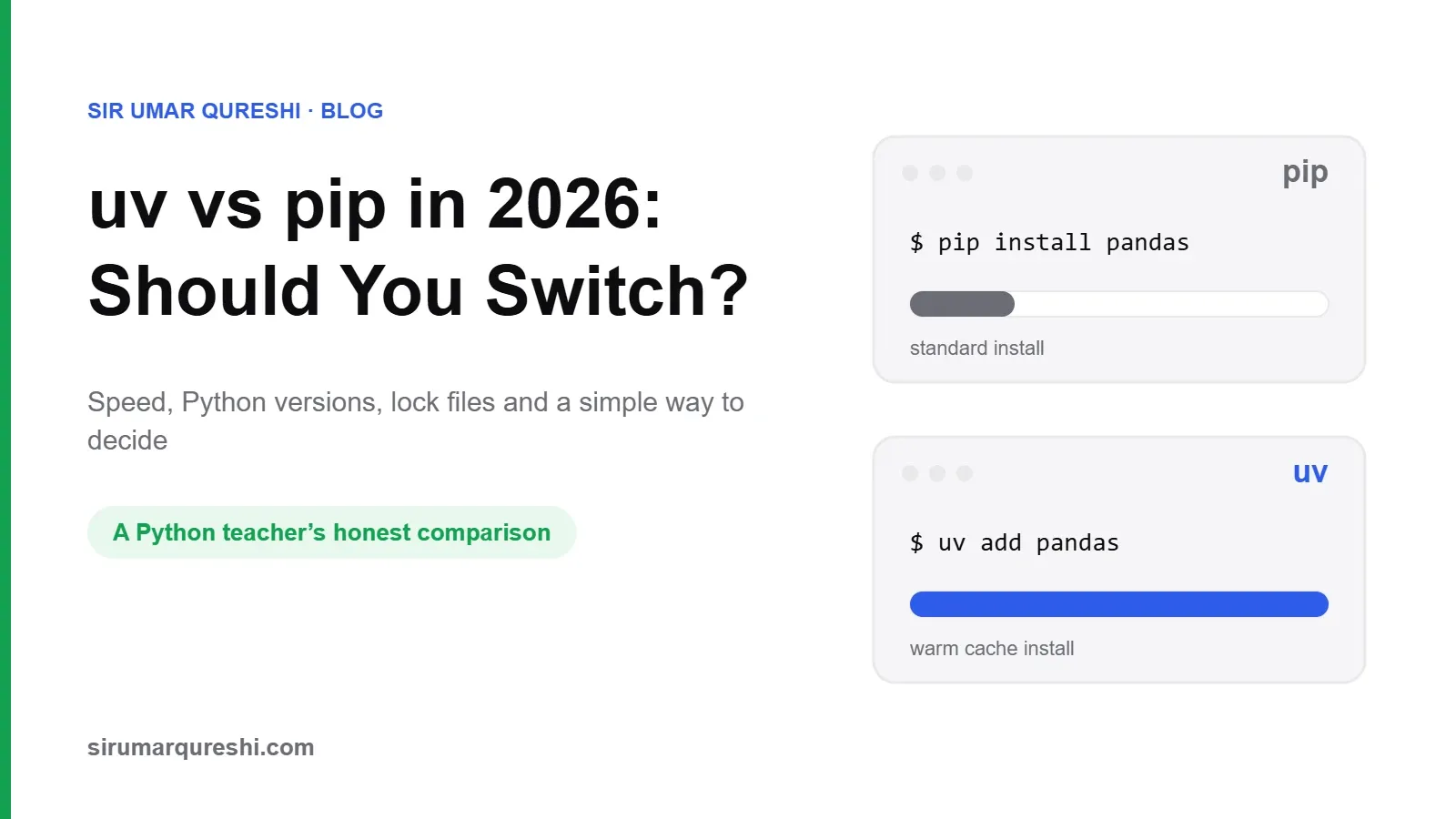
In the uv vs pip choice, most beginners and working developers are better off with uv in 2026, because one fast tool now installs Python, creates the virtual environment and locks your packages. pip still matters, though. It ships with Python, it is improving every few months, and it remains the safe choice on locked-down machines and in old tutorials.
This comparison is written for students who are learning Python, teachers who run computer labs, and developers who manage real projects. You will see what each tool does, where each one wins, and a simple test to decide for yourself in under an hour.
What Is uv, and Why Is Everyone Talking About It?
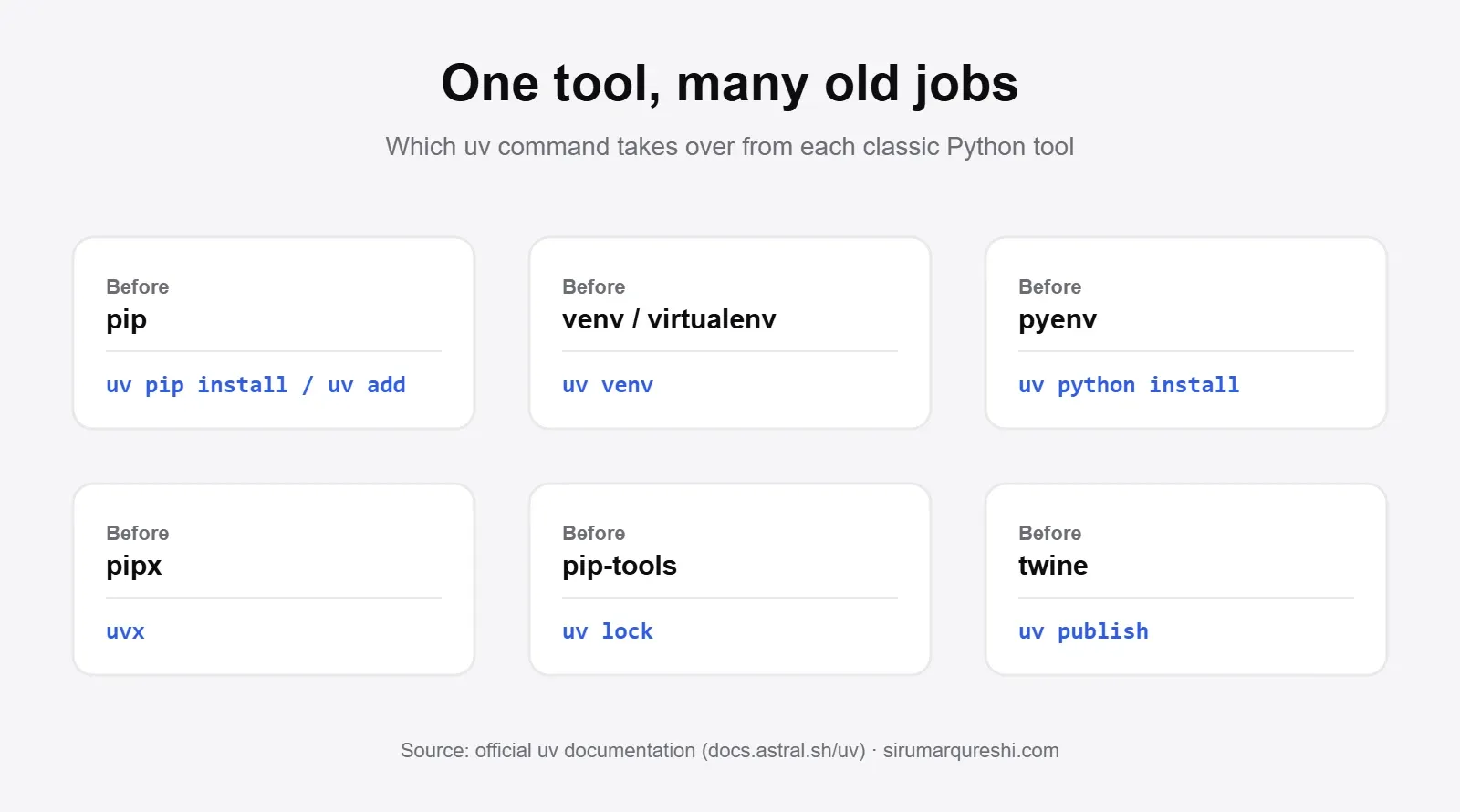
uv is a Python package and project manager written in Rust. It comes from Astral, the team behind the Ruff linter. Its official documentation describes it as one tool meant to replace pip, pip-tools, pipx, Poetry, pyenv, twine and virtualenv.
In practice, uvx covers what pipx did, uv lock does the job of pip-tools, and uv publish takes over from twine. That list explains the excitement. A beginner used to need three or four separate tools before writing real code. With the uv python package manager, the same jobs sit behind one command name.
uv is also popular. It was first released in February 2024, and by early 2026 it was being downloaded more than 126 million times a month, according to PyPI figures quoted by Simon Willison. That is a huge number for a tool that is still on version 0.x.
The 2026 news you should know
On 19 March 2026, OpenAI announced it would acquire Astral, the company that makes uv, Ruff and ty. The announcement said the deal needed regulatory approval and that OpenAI plans to keep supporting Astral's open source products.
Some developers worried about one company owning such a central tool. Willison pointed out the safety net: uv is permissively licensed, so the worst case is that the community forks it and carries on. According to pydevtools.com, uv, Ruff and ty were still MIT-licensed after the announcement.
What Is pip, and What Changed in 2026?
pip is the standard package installer for Python. It comes bundled with most Python installs, and nearly every tutorial on the internet uses pip install. If you have ever typed pip install pandas, you have used it.
pip does one job well: it installs packages into an environment. It does not install Python itself, and it does not manage projects. For virtual environments you use the separate venv module.
pip has not stood still, though. Its 2026 releases added features that close part of the gap:
- pip 26.0 (January 2026) added
--requirements-from-scriptfor inline script metadata and--uploaded-prior-to, which filters packages by upload date, as summarised by pydevtools.com. - pip 26.1 (April 2026) could read
pylock.tomllock files through-ras an experimental feature, let--uploaded-prior-toaccept a duration such asP3D(three days ago), and dropped Python 3.9, according to the official 26.1 announcement. - pip 26.3 (2 November 2026) hardened wheel installation and expanded the experimental
pylock.tomlsupport, per the 26.3 release post.
The date filter is worth a closer look. It lets you ignore packages uploaded in the last few days. That gives the community time to spot a poisoned release before it reaches your machine. uv offers a similar idea through --exclude-newer.
uv vs pip at a Glance
Here is the short version. Read the table once, then use the sections below for the detail.
| Task | pip (with venv) | uv |
|---|---|---|
| Install packages | pip install |
uv add or uv pip install |
| Speed | Standard | 10 to 100 times faster on a warm cache, per Astral's benchmarks |
| Install Python itself | No | Yes, uv python install |
| Python virtual environment | python -m venv |
Created for you, or uv venv |
| Lock file | pip lock, experimental, current platform only |
uv.lock, works across platforms |
| Run a command-line tool once | No built-in option | uvx |
| Comes with Python | Yes | No, separate install |
| Version status | Mature, 26.x | Pre-1.0, 0.13.x |
The pattern is clear. pip is a focused installer that is always there. uv is a full toolkit that you have to add, and it is still evolving fast.
uv vs pip Speed: Is uv Really Faster?
Yes, in most cases you will notice it. Astral's documentation claims uv is 10 to 100 times faster than pip, and its benchmark installs a real project's dependencies with a warm cache. A warm cache means the packages were downloaded before.
Two things drive the speed. First, uv is written in Rust and does work in parallel. Second, it keeps one global cache and reuses packages across projects instead of downloading them again. The uv docs say this cache also deduplicates dependencies, which saves disk space.
Be honest with yourself about what that speed is worth. On a first-ever install over a slow connection, the download is often the slow part, and no tool can make your internet faster. The big wins come on the second, third and tenth install, when uv pulls from its cache.
Tip for slow or unstable internet: pip 25.2 added automatic download resumption for flaky networks, according to pydevtools.com. If you stay on pip, upgrade it first with python -m pip install --upgrade pip. If you move to uv, its shared cache means a package you downloaded once rarely needs to come over the wire again.
Managing Python Versions: Where uv Pulls Ahead
This is the area where the uv vs pip gap is widest. pip cannot install Python. You download Python from python.org, or you add a separate tool such as pyenv.
uv handles it directly. According to the uv features page, these commands cover the common needs:
uv python installdownloads and sets up one or more Python versions.uv python listshows the versions uv can use.uv python pinfixes a version for the current project.uv python uninstallremoves a version you no longer need.
Here is why this matters in practice. Say your class uses Python 3.13, but you want to test the features covered in our Python 3.15 guide. With uv, you can install Python with uv beside your current version and pin 3.15 only in the test folder. Your other projects keep working.
uv also keeps up quickly. Its 0.13.6 release on 26 October 2026 added CPython builds up to 3.15.2, according to the release notes on NewReleases.
Projects, pyproject.toml and the uv.lock File
A project is a folder of code with a list of the packages it needs. With pip, people traditionally write that list in requirements.txt. With uv, the list lives in pyproject.toml, which is the modern standard file for Python projects.
How the uv project workflow feels
The uv projects guide describes a small set of commands:
- Create the project. Run
uv init my-app. uv writes apyproject.toml, a.python-versionfile and a few starter files. - Add packages. Run
uv add pandas. uv records the package inpyproject.toml. - Run your code. Run
uv run main.py. The first project command creates the.venvfolder and theuv.lockfile for you. - Share it. Commit
pyproject.tomlanduv.lockto Git. A teammate runsuv syncand gets the same versions.
Notice what is missing. You never typed a command to create or activate a virtual environment. uv makes it and uses it in the background.
Why the lock file is the real prize
A lock file records the exact version of every package, including the packages your packages depend on. It is how "it works on my laptop" becomes "it works on every laptop."
The uv docs say uv.lock should be checked into version control for reproducible installs, and that you should not edit it by hand. It is also universal: one file covers different operating systems and Python versions.
pip's version is behind here. Its pip lock command has been experimental since pip 25.1, and its own help text says the result is only guaranteed for the current Python version and platform, as pydevtools.com reports. That is fine for a single server. It is weak for a class where some students use Windows and others use Linux.
Scripts and Tools: Small Jobs Made Easier
Not every piece of Python is a project. Sometimes you have one script that cleans a CSV file, or you want to run a tool such as a code formatter once.
Single-file scripts
Both tools now understand inline script metadata, a small comment block at the top of a script that lists its packages. pip 26.0 can read it with --requirements-from-script. uv goes one step further: uv run script.py builds a separate environment, installs the listed packages and runs the script in a single step. You can add a dependency to a script with uv add --script.
That makes scripts easy to share. A colleague gets one file, runs one command, and it works.
Command-line tools
Many Python tools are meant to be run, not imported. uv gives you uvx to run a tool in a temporary environment and uv tool install to keep it installed for your user account. pip has no built-in equivalent; people used a separate tool called pipx for this.
Where Does pip Still Win?
It would be unfair to call pip outdated. There are solid reasons to keep using it.
- It is already there. pip ships with Python. On a lab PC or office laptop where you cannot install new software, pip may be your only option.
- Every tutorial uses it. Books, courses and Stack Overflow answers are written with
pip install. Beginners following a guide have one fewer thing to translate. - It is mature. pip is on version 26.x and is maintained by the Python Packaging Authority. uv is still before version 1.0, so its behaviour can change between releases.
- Neutral governance. pip belongs to the community process. If vendor ownership worries your organisation, that counts in pip's favour.
- It keeps improving. Date-based filtering, script metadata and lock file reading all arrived in 2026.
Be careful with mixing: pick one tool per project. If a project has a uv.lock file, add packages with uv add, not pip install. Otherwise your lock file and your environment drift apart, and your teammates get different versions than you.
Should You Switch From pip to uv?
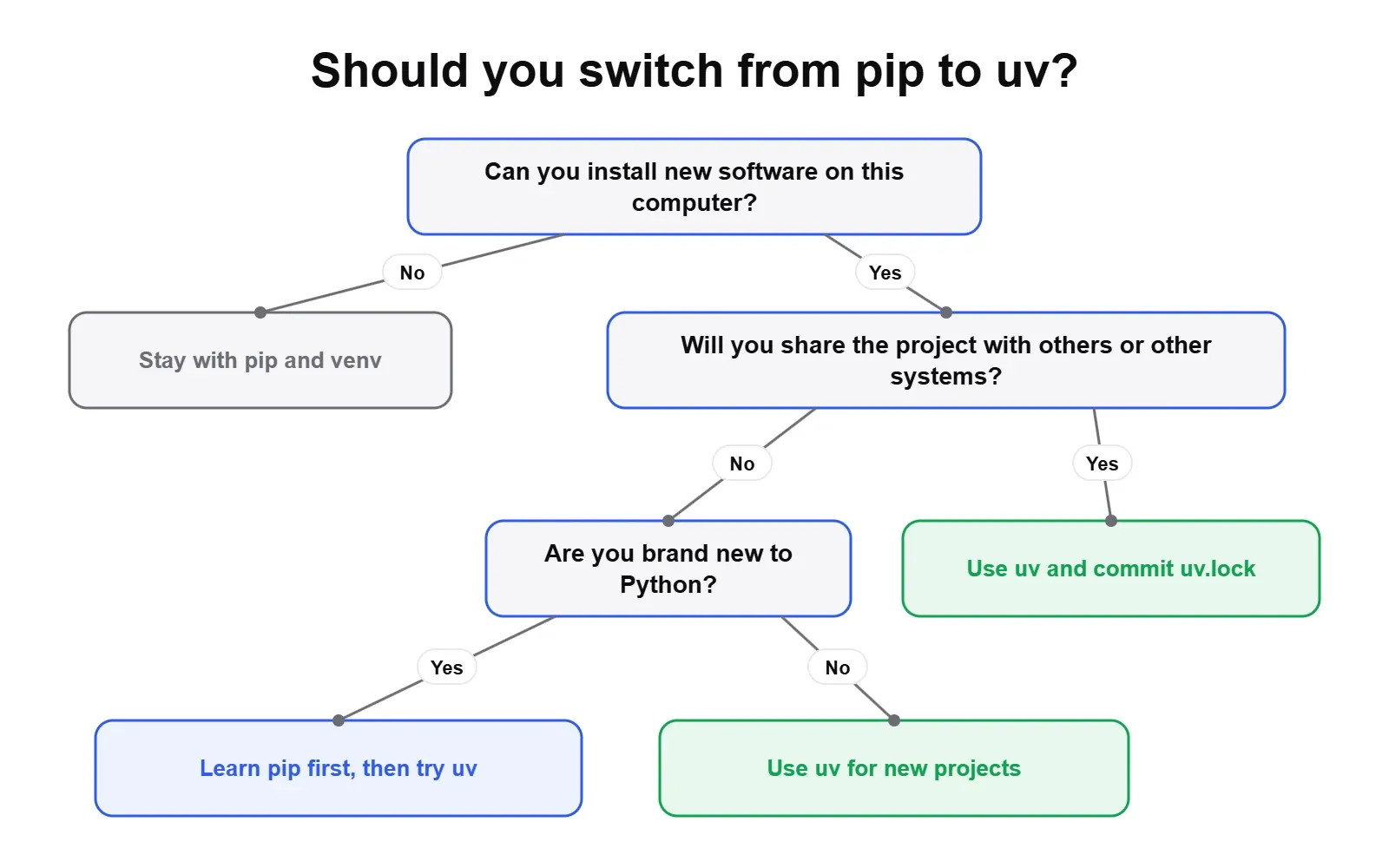
Use the questions below. Most readers will land on an answer in under a minute.
| Your situation | Recommendation | Why |
|---|---|---|
| Complete beginner learning Python at home | Learn pip first, then try uv | Tutorials use pip; uv is easy to add a month later |
| Student building a portfolio project | uv | Lock file and one-command setup impress reviewers |
| Data analyst with many notebooks | uv | Shared cache, quick installs, easy Python versions |
| Lab PCs with no admin rights | pip | Ships with Python; nothing extra to approve |
| Team with Windows and Linux machines | uv | One universal uv.lock for every platform |
| Old production server that works | Stay on pip for now | Change it when you have time to test |
For a complete beginner, the order matters more than the tool. Learn what a package and a virtual environment are with pip and venv first. Our 30-day Python plan uses that approach. Once those ideas make sense, uv feels like a shortcut instead of magic.
How to Move a Project From pip to uv in 6 Steps
If you decide to switch, do it on one project first. Keep a copy of the folder until you are happy.
- Install uv. On Windows, run
powershell -ExecutionPolicy ByPass -c "irm https://astral.sh/uv/install.ps1 | iex". On macOS or Linux, runcurl -LsSf https://astral.sh/uv/install.sh | sh. Both commands come from the official uv docs, which also mention installing with pip or Homebrew. - Check it works. Open a new terminal and run
uv --version. - Create the project file. Inside your project folder, run
uv init. If apyproject.tomlalready exists, skip this step. - Bring your packages across. Run
uv add -r requirements.txt. The uv projects guide shows this command for migrating from an existing requirements file. - Run and test. Run
uv run python main.py(or your usual entry file) and your tests. uv creates.venvanduv.lockon this first run. - Commit the result. Add
pyproject.tomlanduv.lockto Git, and tell your team to useuv sync.
Not ready for a full move? Try the halfway option. The pip-compatible interface lets you type uv venv and then uv pip install -r requirements.txt. Your files stay the same, and you only change the command at the start of the line.
A Worked Example: The Same Data Project With pip and With uv
This is an illustrative example, not a real client project. Imagine a student, Sana, who wants to analyse a sales spreadsheet with pandas and draw charts with matplotlib. She needs Python 3.13 for this project, but her laptop has a different version installed.
The pip route
- Download and install Python 3.13 from python.org, and make sure the right version opens in the terminal.
- Run
python -m venv .venvto create a virtual environment. - Activate it. The command differs on Windows and Linux, which confuses many beginners.
- Run
pip install pandas matplotlib. - Run
pip freeze > requirements.txtso a classmate can repeat the setup.
This works, and every step teaches something useful. But it has five places to go wrong, and the requirements.txt file records only what was installed on Sana's machine.
The uv route
- Run
uv init sales-reportand move into the new folder. - Run
uv python install 3.13, thenuv python pin 3.13so this folder always uses it. - Run
uv add pandas matplotlib. - Run
uv run analysis.py.
There is no activation step, no separate Python installer and no manual freeze. The uv.lock file is written for her, and a classmate on another operating system runs uv sync to get the same set of packages.
This example sums up the uv vs pip trade-off nicely. pip teaches you each moving part. uv hides those parts so you can get to the analysis faster. Both are valuable, which is why the best answer for learners is often "learn the pip way once, then work the uv way."
Common Mistakes When Switching
These are the problems that trip people up most often in the first week.
- Activating the wrong environment. With uv projects you rarely need to activate anything. Use
uv runand let uv pick the project's.venv. - Editing uv.lock by hand. The docs say not to. Change
pyproject.tomlwithuv addoruv removeand let uv rewrite the lock file. - Forgetting to commit the lock file. Without
uv.lockin Git, your team loses the main benefit. - Mixing pip and uv in one project. As the warning above says, pick one.
- Ignoring updates. uv releases often. Run
uv self updatenow and then to get fixes. - Assuming a new tool fixes old code. A faster installer will not fix a package that does not support your Python version. Read error messages carefully.
What This Means for Students, Teachers and Teams in Pakistan
For learners, the message is calm: you do not have to choose a side forever. Learn pip install and python -m venv, because you will meet them in every course and job. Then learn uv, because more and more open source projects and teams expect it. Both are free.
For teachers and lab managers, uv solves an old headache. Different classes need different Python versions, and students break shared installs. With uv, each class folder can pin its own Python and lock its packages. If students cannot install software on lab PCs, though, plan around pip and check with your IT team before the term starts.
For small teams and freelancers, the lock file is the main reason to switch. When a client project moves from your laptop to a server, uv sync gives the same versions you tested with. That is the kind of discipline I teach in my programming classes and apply when building platforms such as PSTA.
If you are planning a data career, packaging skills sit beside pandas and SQL in the data science roadmap. And if you are choosing between data libraries too, the Polars vs pandas comparison pairs well with this one.
Your One Task This Week
Pick one small Python project you already have. Install uv, copy the folder, and follow the six migration steps on the copy. Time how long a fresh install takes with pip, then with uv after the cache is warm.
If uv saves you time and the lock file makes sharing easier, move your next project too. If something breaks, delete the copy and keep using pip with no harm done. Either way, you will make the uv vs pip decision from your own evidence, not from someone else's benchmark.
Need help setting up Python for a class, an office team or a client project? Get in touch or see the services I offer.