Vibe coding for beginners means building software by describing what you want in plain English and letting an AI tool write the code, while you run it, check it and ask for changes. It is the quickest way I know to build a website with AI and get a first working page on screen. It is also the fastest way to ship a page with a hole in it, so this guide shows you how to do it with your eyes open.
I teach web development in Abbottabad and I also build and maintain real platforms, including the OnePlace marketplace and the PSTA academy website. So I see both sides every week: students who can now make a working page in an evening, and production code where one careless line can expose customer data. This article is the advice I give to both groups.
What Is Vibe Coding, in Plain Words?
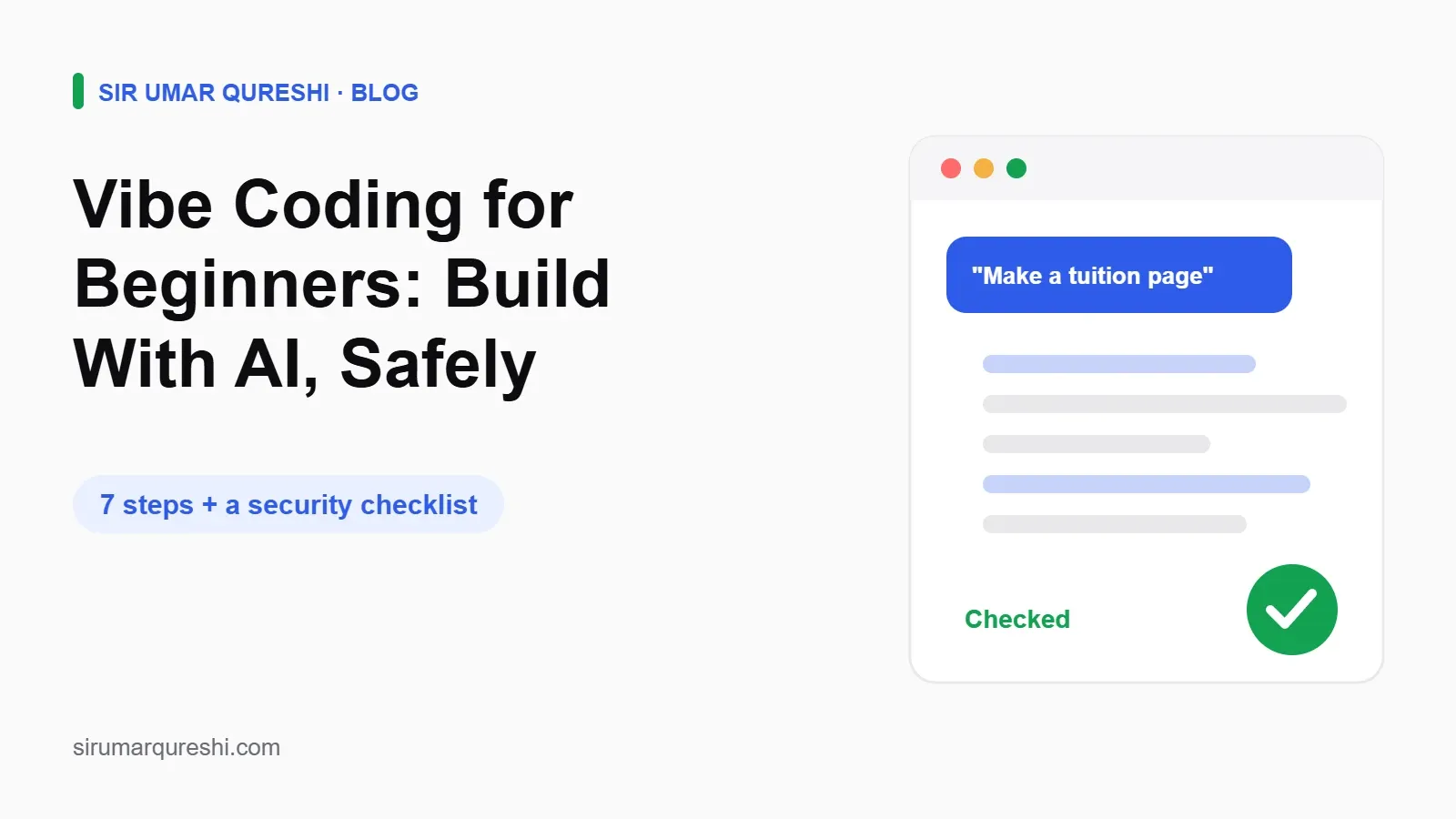
In normal programming, you type every line yourself. In vibe coding, you type a request instead. You might write "Make a one-page site for a tuition centre with a fee table and a WhatsApp button." The AI produces the HTML, CSS and JavaScript. You open the result, see what is wrong, and reply with the next request.
Google Cloud's explainer on vibe coding describes the loop in five moves: describe the goal, let the AI generate code, run it and watch what happens, give feedback, then repeat. That loop is the whole method. The skill is in how well you describe, how carefully you check, and when you stop.
Google's page also draws a line that I think every beginner should learn on day one. There is "pure" vibe coding, where you trust the output and barely look at the code. It suits throwaway weekend experiments. Then there is responsible AI-assisted development, where the AI is your pair programmer and you review, test and understand what it wrote before anyone else depends on it. This guide teaches the second kind, with a bit of the first for practice.
Where did the term come from?
The phrase was coined by AI researcher Andrej Karpathy in early 2025, according to Google Cloud. It spread so quickly that Collins Dictionary named "vibe coding" its Word of the Year for 2025, as CNN reported in November 2025. Collins defines it as using AI, prompted by natural language, to help write computer code. So the idea is new, but it is no longer a niche joke among programmers.
Vibe Coding vs Traditional Coding: What Actually Changes?
Many people searching for AI coding for beginners assume vibe coding replaces programming. It changes which part of the work you spend time on. Here is the honest comparison I draw on the board in class.
| Question | Traditional coding | Vibe coding |
|---|---|---|
| Who types the code? | You, line by line | The AI, from your description |
| Speed to a first draft | Hours or days for a beginner | Minutes for a simple page |
| Main skill you use | Syntax and problem solving | Clear instructions and careful checking |
| Where bugs hide | In code you wrote and roughly understand | In code you did not write and may not read |
| Security responsibility | Yours | Still yours |
| Best for | Learning deeply, long-lived systems | Prototypes, small tools, first drafts |
Look at the security row twice. The AI does not sign your client contract, and it will not answer the angry phone call when a form leaks data. Whatever tool you use, the person who publishes the code owns the result.
What Can a Beginner Safely Build With Vibe Coding?
When you teach vibe coding for beginners, the project choice matters more than the tool. The safest projects have three things in common. They hold no private data, they take no payments, and nobody gets hurt if they break for a day. That still leaves a lot of room to learn.
- Personal portfolio page. A single page with your photo, skills and links.
- Landing page for a small shop or tuition centre. Text, a price list and a contact button.
- Classroom tools. A quiz page, a timer, a random name picker or a marks calculator that runs in the browser.
- Personal trackers. A study planner or expense sheet that saves only to your own browser.
- Small games. Tic-tac-toe, a typing speed test or a memory card game.
Projects I ask students to avoid until they understand the code: anything with logins and passwords, anything that stores customer phone numbers or CNICs, online payments, and admin panels. Those need the security checks later in this guide, and ideally a second pair of experienced eyes. If you are a business owner who needs that kind of system, it is worth reading my breakdown of website development cost in Pakistan before deciding to build it yourself.
Vibe Coding Tools for Beginners: Which One Fits Your Level?
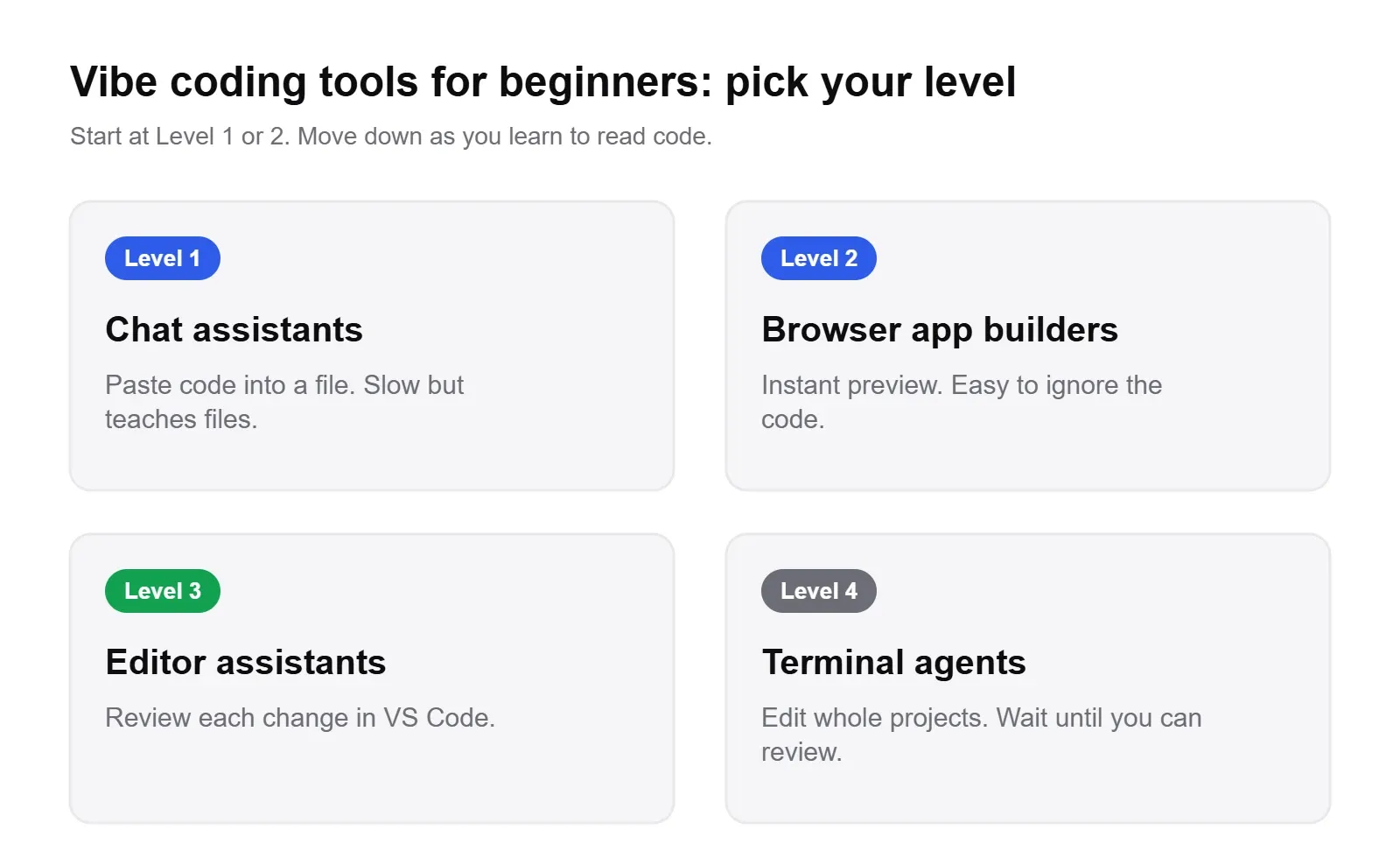
There are many vibe coding tools and new ones appear every month, so I group them by how much control they give you. Start at the top and move down as your skills grow.
Level 1: Chat assistants
Any general AI chat tool can write a single HTML file. You paste the code into a file, open it in your browser and report back what you see. This is slow, but it forces you to handle real files, which is a good habit. My guide to AI tools for teachers and students compares the main chat assistants.
Level 2: Browser app builders
These tools build and preview the app in the same window. Google Cloud points beginners to Google AI Studio as the quickest route from an idea to a live, shareable web app, and names Firebase Studio for describing a whole application in one prompt. Builders like these are great for seeing results fast. The risk is that you never look at the files.
Level 3: Assistants inside a code editor
Here the AI sits inside an editor such as VS Code and works on real project files. You see every change before you accept it. GitHub's plan documentation lists a Copilot Free plan with up to 2,000 code suggestions a month, a Student plan at no cost for verified students, and Copilot Pro at $10 a month. Check the page yourself before you sign up, because plans change often.
Level 4: Terminal and agent tools
Agent tools can read your whole project, run commands and make many changes in one go. Google lists Gemini CLI and its Antigravity environment in this group and aims them at intermediate and advanced developers. They are powerful, and that is exactly why I do not hand them to a student in week one.
Teacher's tip: pick one tool from Level 2 or Level 3 and stay with it for a month. Switching tools every week feels productive, but you learn far more by getting good at describing problems to one assistant.
Vibe Coding for Beginners: 7 Steps to Your First Working Web Page
Here is the exact routine I use when I introduce vibe coding to a new class. Give it about 90 minutes the first time.
- Write a one-paragraph brief on paper first. Who is the page for, what should a visitor do, and what must it show? For example: "A landing page for a Grade 9 maths tuition centre in Abbottabad. Show timings, a fee table and a WhatsApp button. Mobile first."
- Ask for a plan before code. Prompt: "Before writing code, list the sections and files you will create." Fix the plan if it misses something. Changing a plan is cheaper than changing code.
- Ask for the smallest version that runs. One HTML file with CSS inside is fine. Open it in your browser and check it on your phone too.
- Change one thing per prompt. "Make the fee table scroll sideways on small screens" is a good prompt. "Make it better" is not.
- Save a copy after every working step. Use Git if you know it, or simply duplicate the folder with a version number. When the AI breaks something, you go back instead of arguing with it.
- Ask the AI to explain its code. Prompt: "Explain this file section by section for a beginner." Then read the code with that explanation open. This is where the learning happens.
- Run the safety checklist below before you share the link. Even a simple page can carry a broken form or a leaked key.
If the page will be public, also test its speed on a phone. AI tools love large images and extra scripts. My guide on how to improve Core Web Vitals shows you what to look for.
How Do You Write Prompts the AI Can Actually Follow?
Most bad vibe coding sessions start with a vague prompt. The AI fills the gaps with guesses, and you spend the next hour undoing them. A good prompt answers four questions.
- Context: what exists already. "I have one index.html file with a header and a fee table."
- Change: the single thing you want. "Add a contact form with name, phone and message."
- Constraints: rules to respect. "Plain HTML, CSS and JavaScript only. No external libraries. Keep the current colours."
- Check: how you will know it worked. "Tell me how to test the form on a phone and what should happen on success."
When something breaks, give the AI evidence instead of feelings. Copy the exact error from the browser console, say which button you clicked and what you expected. "It doesn't work" produces random fixes. "Clicking Submit shows 'TypeError: form is null' in the console" usually produces the right fix in one go.
One more habit that saves hours: if the AI has failed at the same fix three times, stop the chat. Start a fresh conversation, paste only the relevant file, and describe the problem again from scratch. Long conversations collect wrong assumptions.
What Does the Research Say About AI-Written Code?
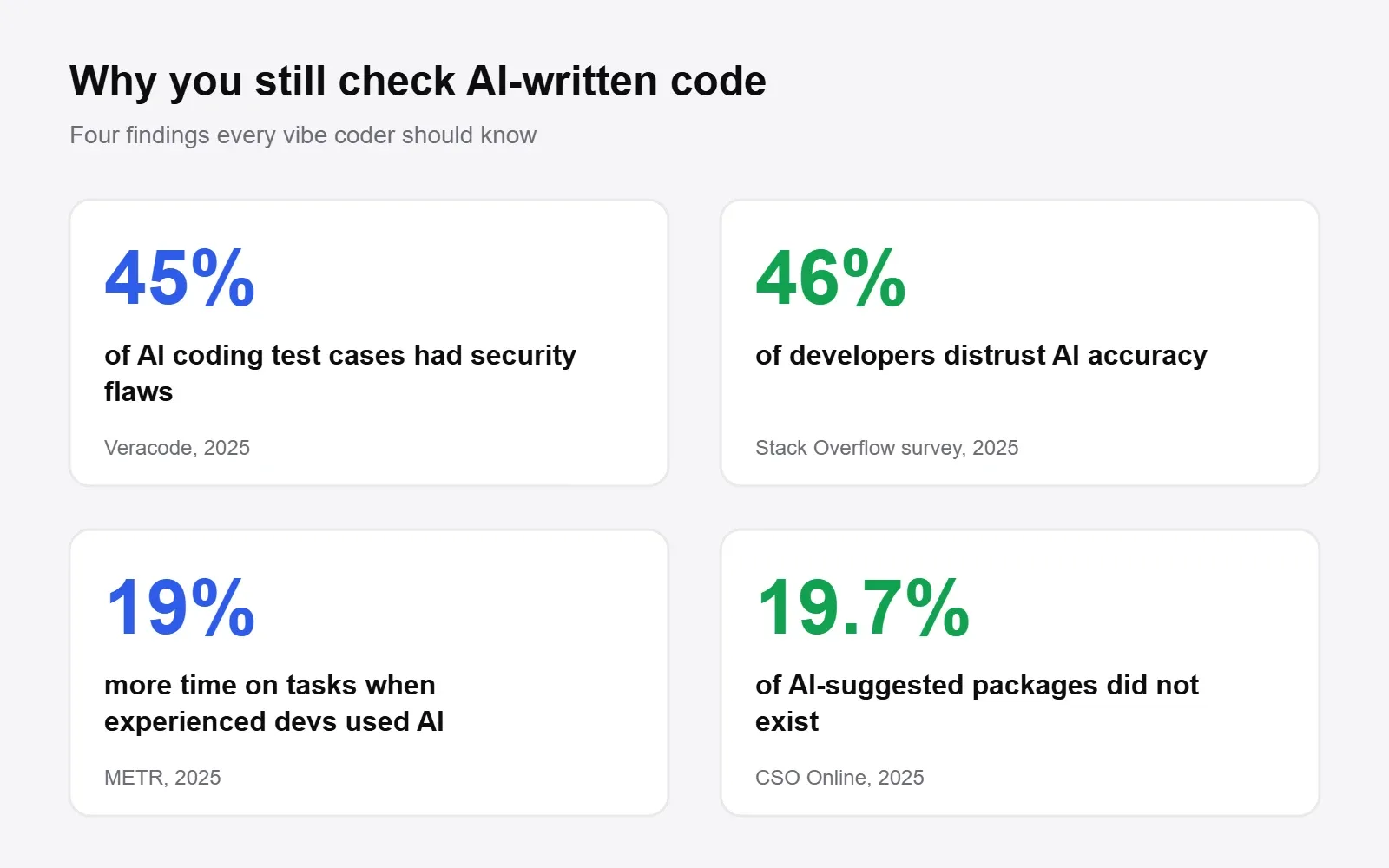
I like vibe coding, but I teach it with the numbers on the table. Four studies are worth knowing before you trust AI output.
Security. In its 2025 GenAI Code Security research, Veracode tested more than 100 large language models on 80 coding tasks. According to Veracode's announcement, 45% of the test cases produced code with security weaknesses. The models failed to defend against cross-site scripting in 86% of relevant cases. That attack is exactly the kind a contact form or comment box invites.
Trust. The Stack Overflow 2025 Developer Survey, with more than 49,000 developers from 177 countries, found that 84% use or plan to use AI tools. Yet 46% said they do not trust the accuracy of AI output, up from 31% a year earlier. Nearly 77% said vibe coding is not part of their professional work. Professionals use AI constantly, but they check it.
Speed. A controlled study by METR, published on arXiv in July 2025, gave 16 experienced open-source developers 246 real tasks in their own projects. With AI allowed, tasks took about 19% longer. The same developers had predicted AI would make them 24% faster, and still believed afterwards that it had sped them up by about 20%. Feeling fast and being fast are different things.
Fake packages. Researchers covered by CSO Online in April 2025 tested 16 code-generation models and found that 19.7% of the packages they recommended did not exist. Attackers can register those made-up names and fill them with malware. The trick even has a name, "slopsquatting".
None of this means "do not use AI". It means the checking step is not optional. Beginners who build that habit early become far more useful developers than those who only collect prompts.
Vibe Coding Security: The Checklist Before Anything Goes Live
The OWASP Top 10 for 2025, the best-known list of web application risks, still puts broken access control at number one, with security misconfiguration second and software supply chain failures third. Those three map closely onto the mistakes I see in AI-built projects. Run this checklist before you share any link.
- No secrets in the code. Search every file for words like "key", "secret", "token" and "password". API keys belong in server-side environment variables, never in HTML or browser JavaScript.
- Every package is real. Before you install anything the AI suggests, look it up on the official registry. Check that it has a real history, recent updates and plenty of users.
- Every form is checked on the server. Browser checks are for convenience. Anyone can skip them. Ask the AI: "Show me where this input is validated and escaped on the server."
- Users can only see their own data. Log in as one test user and try to open another user's page by changing the ID in the address bar. If it works, you have broken access control.
- Error messages say little. A visitor should see "Something went wrong", not a database error with table names.
- Debug mode is off. Ask the AI to list every setting that should change between testing and going live.
- You have a backup. Keep a copy of the files and database you can restore from.
Warning: do not paste real customer data, passwords or live API keys into any AI chat while you build. Use made-up test data. If you have already pasted a key, cancel it in that service's dashboard and create a new one.
Common Vibe Coding Mistakes Beginners Make
These are the patterns I correct most often, in roughly the order students hit them.
1. Accepting code you cannot explain
If you cannot explain what a block does in one sentence, you cannot fix it when it breaks. Ask the AI to explain it, or ask for a simpler version.
2. Building the whole app in one prompt
A huge first prompt produces a huge pile of code with hidden problems. Build in small steps that each run.
3. No version history
AI tools sometimes rewrite working code while fixing something else. Without saved copies, you lose good work. Learning basic Git is worth one afternoon.
4. Only testing the happy path
Test empty fields, very long names, Urdu text, a slow mobile connection and the back button. Real visitors do all of these.
5. Letting the AI choose a huge stack
Ask for a framework, a database and three libraries, and you get a project you cannot host or maintain. For a small business site, plain HTML or a simple CMS is often the better answer. My Next.js vs WordPress comparison explains when each makes sense.
6. Trusting the AI about facts
The AI will happily invent library functions, prices or tax rules. Anything that matters gets checked against an official source.
Does Vibe Coding Mean You Don't Need to Learn to Code?
No, and the research above explains why. Experienced developers still review AI output closely, and many of them do not trust it. The people who get the most from these tools are the ones who can read the code, spot the weak line and ask for exactly the right change.
That is why I treat vibe coding for beginners as a starting point, not a finish line. My advice to students is simple. Use vibe coding to get unstuck and to see a working example quickly. Then make sure you understand that example well enough to rebuild a small part of it yourself. Over a few months, the AI becomes your tutor instead of your crutch.
If you want a structured path, follow my web development roadmap for 2026 and use AI at each stage to explain, quiz and review, not to skip. You will learn the fundamentals faster than students did a few years ago, and you will be able to judge what the AI gives you.
A Worked Example: A Tuition Centre Page in One Evening
This is an illustrative example, not a real client. Imagine Sana runs evening maths classes from home and wants a simple page to share on WhatsApp. She has no coding background.
Her brief: one mobile page with class timings, a fee table, a short teacher bio, a map link and a WhatsApp button. No forms, no logins, no payments. That brief puts the project firmly in the safe zone.
Session 1, about 30 minutes. She asks for a plan, then the smallest working version in one HTML file. She checks it on her phone and finds the fee table runs off the screen. Her next prompt fixes just that.
Session 2, about 30 minutes. She asks the AI to explain the file section by section. She changes the colours and text herself, using the explanation, which teaches her where things live.
Session 3, about 30 minutes. She runs the checklist. There are no keys and no packages. The AI had added a large background image, so she compresses it. Then she publishes the page on free static hosting.
Now imagine Sana later wants online admissions with fee payments. That is a different project. It needs logins, stored student data and a payment gateway, which puts it in the high-risk group. That is the point to get a developer to review or build it, the way academy platforms such as PSTA are built with admissions and student logins designed in from the start.
Can Vibe Coding Help You Earn?
It can help, but not in the way social media suggests. Clients do not pay for prompts. They pay for a working, safe result and for someone who can fix it next month. Vibe coding lets a skilled person deliver small sites and internal tools faster. It does not turn an unskilled person into a safe developer overnight.
Practical ways a student in Pakistan can put these skills to work:
- Building quick prototypes to show a client before quoting for the real build.
- Making simple landing pages for local shops, then learning to maintain them properly.
- Automating small office tasks, such as turning a spreadsheet into a printable report.
- Speeding up learning by asking the AI to explain unfamiliar code from real projects.
If you would like guided practice with a teacher, have a look at my web development classes. Businesses who need a project reviewed or rebuilt can get in touch instead.
Try This Before the Weekend
The best way to learn vibe coding for beginners is one small, finished project. Pick one safe idea from the list above. Write a five-line brief on paper, then build the first working version in a single 60-minute session using the seven steps. Before you share it, run the security checklist and ask the AI to explain every file. Save the explanation next to your code. In a month, read it again and see how much of the code you can now write yourself. If you get stuck on your first project, send me a message and tell me what you built.