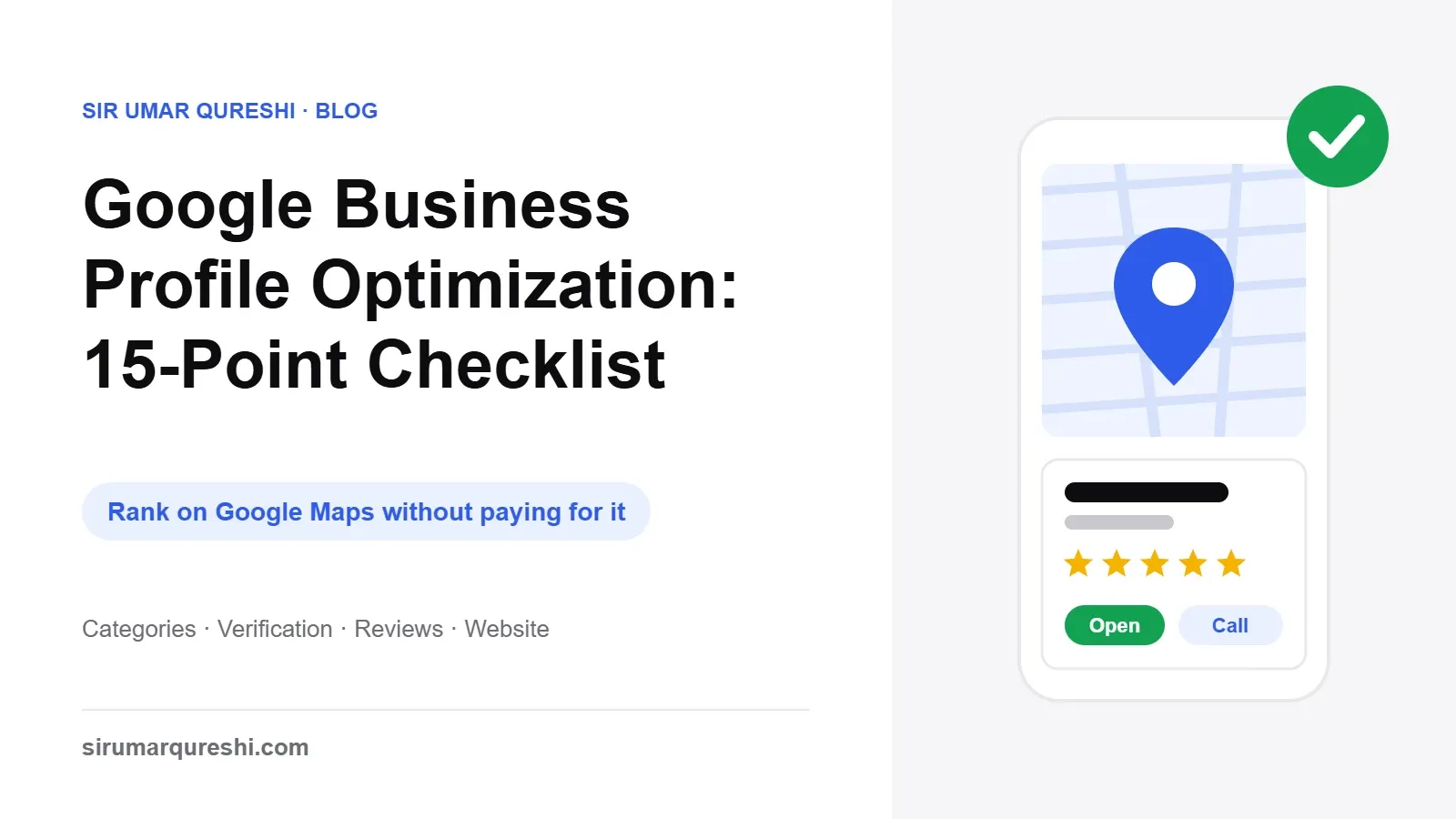
Google Business Profile optimization means filling in, verifying and maintaining your free Google listing so it shows up when nearby people search for what you sell. Most of the work is simple: pick the right category, use your real name and address, add honest photos, and earn and reply to reviews every week. This checklist walks you through all of it in a sensible order.
I teach computer science and build websites and platforms for a living. For a shop, clinic, academy or workshop, the Google listing is often the first thing a new customer sees, before they ever open the website. So let's get it right.
What Is Google Business Profile Optimization?
Google Business Profile is the free listing that appears on Google Maps and in the map box on Google Search. It shows your name, category, hours, phone number, photos, reviews and a button for directions. You may have heard it called "Google My Business", which was its old name.
Google Business Profile optimization is the work of making that listing complete, accurate and trusted. It is a core part of local SEO, the branch of search optimization that helps a business appear for searches with a place in them, such as "computer academy near me" or "mobile repair in Abbottabad".
Here is the good news. You do not need a big budget. Google says plainly that there is no way to request or pay for a better local ranking. Ads can buy a sponsored spot, but the normal map results are earned. That puts a small shop with a well-kept profile on fair ground against a bigger rival who ignores theirs.
How Does Google Decide Who Ranks on Google Maps?
If you want to rank on Google Maps, start with how Google explains it. Its help page on local ranking names three factors:
- Relevance: how well your profile matches what the person searched for. Complete, detailed information helps Google make the match.
- Distance: how far your business is from the person searching, or from the place named in the search.
- Prominence: how well known your business is. Google lists signals such as links from other websites and the number and rating of your reviews.
You cannot move your shop closer to every customer, so distance is mostly fixed. Relevance and prominence are where your effort pays off.
Google does not publish a full list of signals, so it helps to look at what experienced practitioners report. Every year, Whitespark surveys local SEO specialists for its Local Search Ranking Factors report. In the 2026 edition, the top factors for the map results were these:
| Rank | Factor (2026 Whitespark survey) | Can you control it? |
|---|---|---|
| 1 | Primary Business Profile category | Yes, fully |
| 2 | Distance from the searcher to your address | No |
| 3 | Keywords in the business name | Only if they are in your real name |
| 4 | Physical address in the city being searched | Partly |
| 5 | Business is open at the time of the search | Yes, through accurate hours |
| 6 | High Google star rating | Yes, through good service |
| 7 | Address showing on the profile | Depends on your business type |
| 8 | Additional categories | Yes |
| 9 | Number of Google reviews with text | Yes, over time |
| 10 | Correct map pin placement | Yes |
Two lessons stand out. First, your category choice is one of the strongest levers you have. Second, the name factor is a trap. It works only when the keyword is part of your genuine business name. Adding words to your name to game it breaks Google's rules, as you will see below.
Before You Start: Claim and Verify Your Profile
An unverified profile is like a shop with the shutter half down. Google says verification tells it you are allowed to represent the business, which makes your profile more likely to appear in results. Follow these steps to claim and verify Google Business Profile ownership:
- Search for your business name on Google Maps. If a listing already exists, use the option on it to claim the business. If not, add a new one.
- Sign in with a Google account that the business controls. Avoid a staff member's personal account, because you may lose access if they leave.
- Enter your name, category and address or service area carefully. Getting them right the first time saves you edits and delays later.
- Choose from the verification methods Google offers you, and complete them.
- Wait for Google's review before making big edits.
Google decides which methods you can use, and some businesses need more than one. According to Google's verification help page, the options are:
| Method | How it works | What to watch for |
|---|---|---|
| Phone or text | Google sends a code to your business number | Automated phone systems cannot receive it |
| You follow a link in an email from Google | Use an address you can always access | |
| Live video call | A support person guides you on a call | Runs only during your business hours |
| Postcard | A 5-digit code arrives by mail | Most arrive within 14 days and expire after 30 |
Google says its review can take up to 5 business days. It can be instant if you have already verified your website in Google Search Console.
How to pass video verification
Google recommends video verification when your business is eligible. Record at your actual premises in one continuous take. Google asks you to show three things:
- Your location: the outside sign, a street sign or neighbouring shops.
- Your business or equipment: products, branded items or the tools you use with customers.
- Proof that you manage it: a staff-only area, the cash counter, a storeroom, or your keys opening the door.
Plan the route before you press record. Walk from the street sign to the entrance, then inside. If Google doesn't accept the video, you will see a "Review issues" notice with steps to try again, so a calm, clear first take saves time.
The 15-Point Google Business Profile Optimization Checklist
Once you are verified, work through this Google Business Profile optimization list from top to bottom. The first five items carry the most weight, so do not skip ahead to photos and posts.

Part 1: The basics Google reads first
- Use your real-world name only. Google's guidelines for representing your business say your name should match your signboard, website and stationery. No taglines, phone numbers, city names or service lists. "Ali Computers" is fine. "Ali Computers Best Laptop Repair Abbottabad" is not.
- Choose the most specific primary category. Google advises using as few categories as possible, each as specific as possible. A category should describe what your business is, not what it has. A tuition centre should pick a tutoring category rather than a broad "school" label.
- Add a small number of accurate secondary categories. If you run a computer academy that also repairs laptops, add the repair category. Do not add categories for things you only mention once.
- Set the exact address and check the map pin. Use your precise location. Suite or floor numbers are allowed. If your street has no number, Google lets you place the pin on the map yourself. Zoom in and drop it on your actual door.
- Keep hours accurate, including holidays. "Open at the time of search" appears in the Whitespark list above, and nothing annoys a customer more than a locked shutter during listed hours. Update special hours before Eid, public holidays and closures.
Part 2: Details that win the click
- Use a local phone number you control. Google asks for a number that connects to that location and is under your direct control. Avoid numbers that forward to another business.
- Link to the right page on your website. For a single location, the homepage is fine. For several branches, link each profile to its own branch page.
- Write a plain, helpful description. Say what you do, who you serve and what makes you different, in natural language. Mention your area once. Do not stuff it with keywords or links.
- Add real photos and short videos. Google's own tips say photos and videos show customers what you offer. Upload your storefront, the inside, your team at work and your products. Add fresh ones every month so the profile never looks abandoned.
- Fill in services, products and attributes. List each service with a short, clear name. Google mentions attributes such as parking or Wi-Fi as details that help your profile match relevant searches.
Part 3: Reviews and trust
- Ask every customer for a review, the same way. Google suggests sharing a review link or QR code. Print the QR code at your counter and add the link to receipts and follow-up messages.
- Reply to every review within a week. Google's local ranking page lists responding to reviews as one of its tips, and buyers expect it, as the survey data below shows.
- Never buy, swap or filter reviews. It breaks Google's policy and can cost you your reviews. The rules section below covers the details.
Part 4: Connect your website
- Match your name, address and phone everywhere. Use exactly the same details on your website, Facebook page and directory listings, so every source tells Google the same story.
- Add LocalBusiness structured data to your website. This short code block tells Google your name, address, phone and hours in a machine-readable way. More on this in the website section.
Teacher's tip: Do the first five items in one sitting, then wait a few days before the rest. Fewer edits at a time make it easier to see which change helped, and easier to fix one that Google rejects.
How Many Google Reviews Do You Need?
There is no magic number, but customer research gives a useful target. BrightLocal's Local Consumer Review Survey 2026 asked 1,002 adults in the United States how they choose local businesses. Pakistani buyers may behave a little differently, but the direction is worth noting.
| Finding (BrightLocal 2026) | Result | What it means for you |
|---|---|---|
| Read reviews for local businesses | 97% | Your reviews are part of your shopfront |
| Only care about reviews from the last three months | 74% | A steady flow beats one big burst |
| Will only use businesses rated 4 stars or higher | 68% | Fix service problems before chasing volume |
| Won't use a business with fewer than 20 reviews | 47% | Aim for 20 genuine reviews as a first goal |
| Expect owners to respond to reviews | 89% | Silence looks like you don't care |
| Expect a response within a week | 81% | Set a weekly reply routine |
| Use ChatGPT or other AI tools for local recommendations | 45% | AI assistants also read your reviews and details |
So a practical first target is 20 genuine Google reviews with a 4-star average or better, then a few new ones every month. Recency matters to buyers, so a profile with 200 old reviews and nothing recent can lose to one with 40 fresh ones.
That AI figure deserves attention too. More people now ask an assistant "Which tuition centre near me is good?" I covered how AI answers pick sources in my guide to SEO vs AEO vs GEO. A complete profile with detailed reviews gives those systems more to work with.
How to ask for reviews without being pushy
- Ask at the moment of satisfaction: when a student passes, a laptop is returned working, or a customer thanks you.
- Hand over the QR code or send the link straight away. Google notes that customers must be signed in to a Google account to leave a review.
- Keep the request neutral: "Would you mind sharing your honest experience on Google?" Do not suggest what to write or how many stars to give.
- Send one gentle reminder at most. Then let it go.
What Are Google's Rules on Reviews?
Google's prohibited and restricted content policy is strict about fake engagement. Read it once yourself. In short, you must not:
- Pay for reviews, directly or in kind, or offer discounts, free items or services in exchange for them.
- Offer an incentive to change or remove a negative review.
- Discourage negative reviews or ask only your happy customers. This practice is often called review gating.
- Pressure customers to review on the spot, ask for specific content, or give staff a review quota.
- Post reviews where there is a conflict of interest, such as current or former employees reviewing their own employer.
Enforcement is getting tighter. PPC Land reports that Google Maps now shows some visitors a short survey asking whether a business gave rewards for reviews, and that reviews have been removed months or even more than a year after posting. A "free cold drink for a 5-star review" offer can undo years of honest work.

How Should You Reply to Reviews?
BrightLocal found that half of consumers are put off by generic or templated replies. Google's own advice on reviews points the same way: keep replies polite, short and conversational, address the reviewer by name, and avoid promoting deals in your response.
For a positive review, mention one specific detail and thank the person. For a negative one, use this four-part pattern:
- Thank and acknowledge: show you read what they wrote.
- Own what was yours: apologise for real mistakes, but do not accept blame for things outside your control.
- Explain the fix: say what you changed or what you can offer.
- Move it offline: invite them to call or email to settle the details. Never share private information in public.
Example reply (illustrative, not a real review): "Thank you for the feedback, Sara. You are right that the class started 20 minutes late on Tuesday, and that is not the standard we want. We have moved the previous batch earlier so it won't happen again. Please call us on the academy number and we will arrange a free make-up session. – Umar"
Notice what is missing: no defensiveness, no copy-paste opening, no sales pitch. Future customers read your replies as closely as the reviews.
Which Mistakes Get a Profile Suspended?
Google's guidelines say profiles can be suspended or edited if they break the rules. These are common mistakes small businesses make, each tied to a rule in those guidelines:
- Keyword stuffing the name. Adding "Best", a city name or a list of services to your business name.
- Using a fake or virtual address. Google does not accept P.O. boxes or virtual offices. Co-working spaces qualify only with clear signage, staffed customer service and in-person visits during business hours.
- Showing a home address you should hide. If customers never visit you, set yourself up as a service-area business and hide the address.
- Creating extra profiles. Google allows one profile per location, so a second listing "for more visibility" breaks the rules.
- Writing the name in capital letters or two scripts. Fully capitalised names are not allowed, and you should not repeat the same name in English and Urdu side by side.
- Listing hours you don't keep. Appointment-only businesses should not list regular hours at all, according to Google.
Warning: Be careful with anyone who offers "guaranteed number one on Google Maps" or "5,000 Maps citations" for a small fee. Google says no one can pay for local ranking, and bulk or fake engagement puts your profile at risk.
Does Your Website Still Matter for Local SEO?
Yes. Google Business Profile optimization works best alongside a good website. Google's ranking help page lists links from other websites as a prominence signal, and a good website gives your profile something credible to point to. Three website tasks support your profile directly.
1. Verify your site in Google Search Console
Search Console shows which searches bring people to your site. As mentioned above, Google says having your website verified there can make Business Profile verification instant.
2. Add LocalBusiness structured data
Google's LocalBusiness structured data guide lists only two required properties: name and address. It recommends adding telephone, url, geo coordinates, openingHoursSpecification and priceRange, and using the most specific business type available. On WordPress, an SEO plugin can add this. On a custom site, it is a small JSON-LD block in the page head. If you would rather have it set up for you, you can ask about it through my web development services.
3. Give each location or service a real page
A page that clearly explains a service, with your address, map, hours and FAQs, helps both search engines and customers. If you are deciding how to build that site, my Next.js vs WordPress comparison will help you choose.
Google Business Profile in Pakistan: Practical Notes
The audience is already online. DataReportal's Digital 2026: Pakistan report counted 117 million internet users in Pakistan in October 2025, about 45.6 percent of the population. That is a large audience looking for local shops, tutors and services online.
Keep these local realities in mind when you set up your Google Maps listing:
- Addresses without street numbers. Many Pakistani addresses use a market, plaza or landmark. Write the address the way a courier would find you, then place the pin by hand.
- Home-based tutors and freelancers. If students come to your home, a visible address is fine. If you only teach online or visit clients, use a service area and hide the address. My freelancing guide covers the wider setup for solo professionals.
- Verification calls during load-shedding. If you get video or phone verification, schedule it when your power and internet are stable.
- Online-only sellers. If you never meet customers at a shop or in a service area, read Google's eligibility rules before creating a profile, and put your energy into your store and marketplace listings. My guide on starting an online store in Pakistan explains that route, and platforms like OnePlace exist for exactly this kind of seller.
How Do You Know Your Google Business Profile Optimization Is Working?
Don't judge by one search on your own phone. Results change with the searcher's location, so you will always look closer to the top when standing in your own shop. Track simple numbers instead:
| What to track | How | How often |
|---|---|---|
| New reviews and average rating | Count them on your profile | Weekly |
| Views, calls, direction requests and website clicks | Your profile's Performance report | Monthly |
| Search terms people used to find you | The "Searches" section of the same report | Monthly |
| Visits from your profile to your site | Add a tracking tag to the website link and check analytics | Monthly |
| How new customers found you | Ask at the counter or on your admission form | Every customer |
| Searches that show your website | Google Search Console | Monthly |
Give it time. Verification alone can take up to 5 business days, and reviews build slowly. Judge your progress over three months, not three days.
A 20-minute weekly routine
- Reply to every new review (5 minutes).
- Check that hours, phone and category are still correct (2 minutes).
- Upload one or two new photos (5 minutes).
- Send your review link to customers you served this week (5 minutes).
- Note your counts in a simple sheet (3 minutes).
If you want to automate parts of this, such as review reminders after a sale, see my post on AI automation for small business. Keep the replies themselves personal.
Your One Task This Week
Open your profile and fix the top five checklist items today: real name, the most specific primary category, an exact pin, accurate hours and a local phone number you control. Then print a review QR code and put it where customers pay. That is the core of Google Business Profile optimization, and it costs nothing but an hour of your time.
If you would like help building a website that supports your profile, or want to learn these skills properly, get in touch or look at my teaching page.